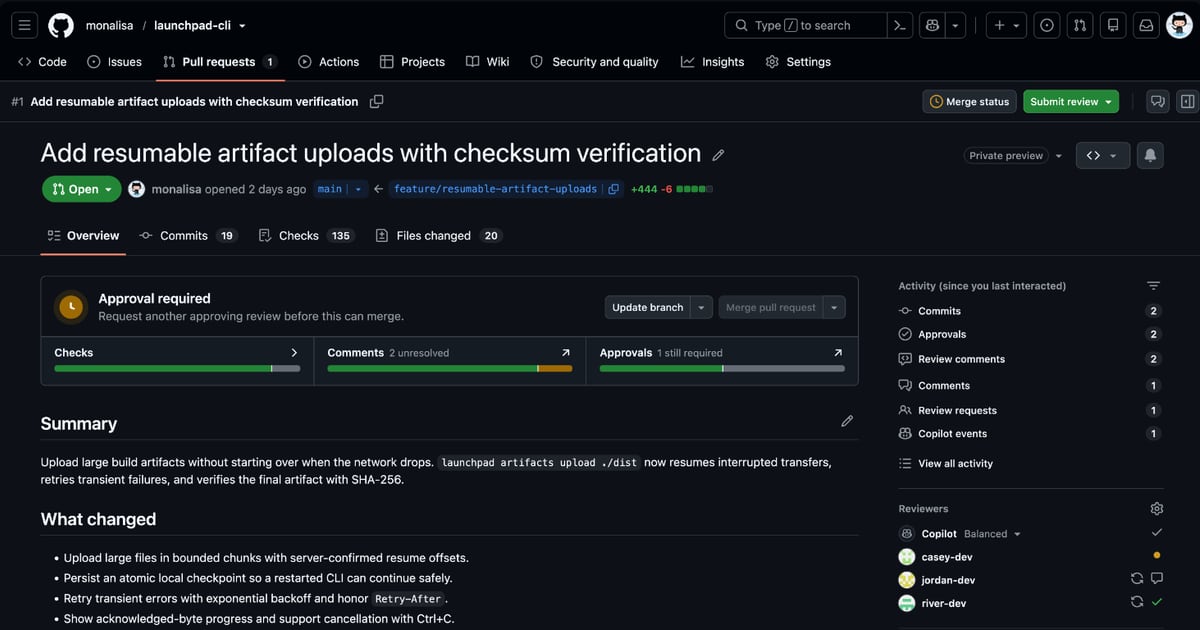
GitHub previews a new pull request overview with merge status on top
November 6, 2026
Read Original: GitHubGitHub introduced a redesigned pull request Overview page on November 5 as an opt-in public preview, with rollout continuing through the weekend. A compact summary brings merge readiness and available next actions to the top, alongside signals such as checks and approvals.
The preview also lets users filter unresolved conversations or their own comments, sort comments newest first and catch up through a recent-activity summary. Actions in the header depend on permissions. Users can try the Overview page from the pull request header and return to the classic view during the preview.
JetherVerse perspective: easier navigation is useful when it helps a reviewer decide what deserves attention next. For a development team, the more important question remains whether the proposed change has enough context to judge. A clear summary should explain the problem, the resulting behaviour and the evidence supporting the change before someone has to reconstruct the story from a long discussion.
Teams can use a short trial to examine that review process. Choose one ordinary change and ask a colleague to identify its outstanding questions without help from the author. Record which information they needed, where they found it and whether the next responsible person was obvious. That makes the evaluation about an actual working task rather than a preference for a different screen layout.
Keep human responsibility visible throughout the review. A green indicator should prompt the team to check that its own acceptance conditions are satisfied, including the user-facing behaviour that matters to the project. If someone spots an unresolved concern, give it a named owner and a clear next step so it does not disappear inside the conversation.
For business owners, our suggestion is to ask for a concise readiness explanation before a release: what changed, what was checked and what still needs a decision. A better overview can make that information easier to find. The team's contribution is making sure the information is accurate, current and useful to the person who must approve the work.
Image: GitHub's official pull request Overview preview screenshot.
Source:GitHub